A permission is a named set of resource endpoints. This page creates one in the admin console and attaches endpoints to it. For the fields and rules, see Permission.
Prerequisites
- A tenant, selected in the console.
- A resource with the endpoints you want to cover. You can only pick endpoints that already exist on a resource.
1. Open Permissions
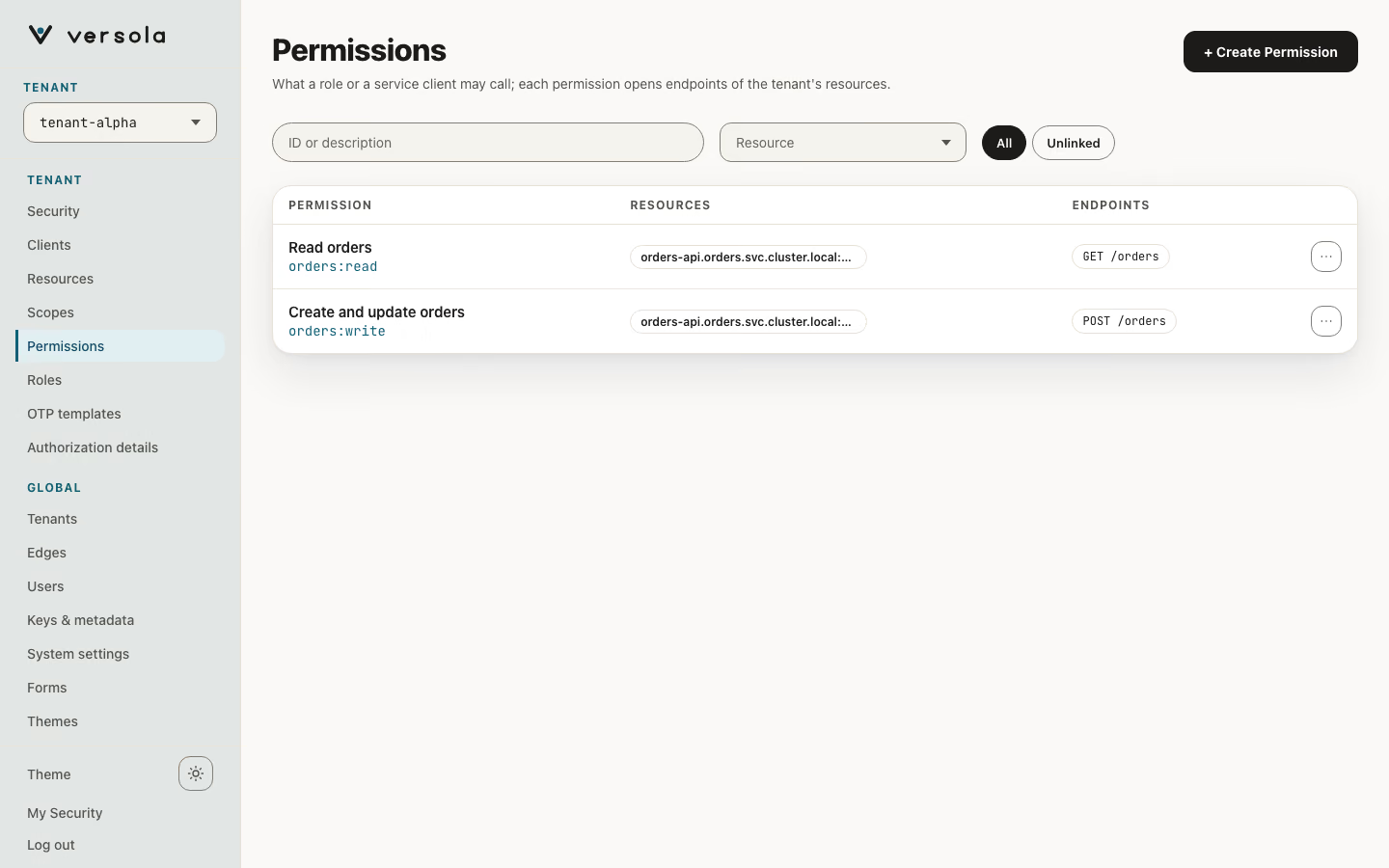
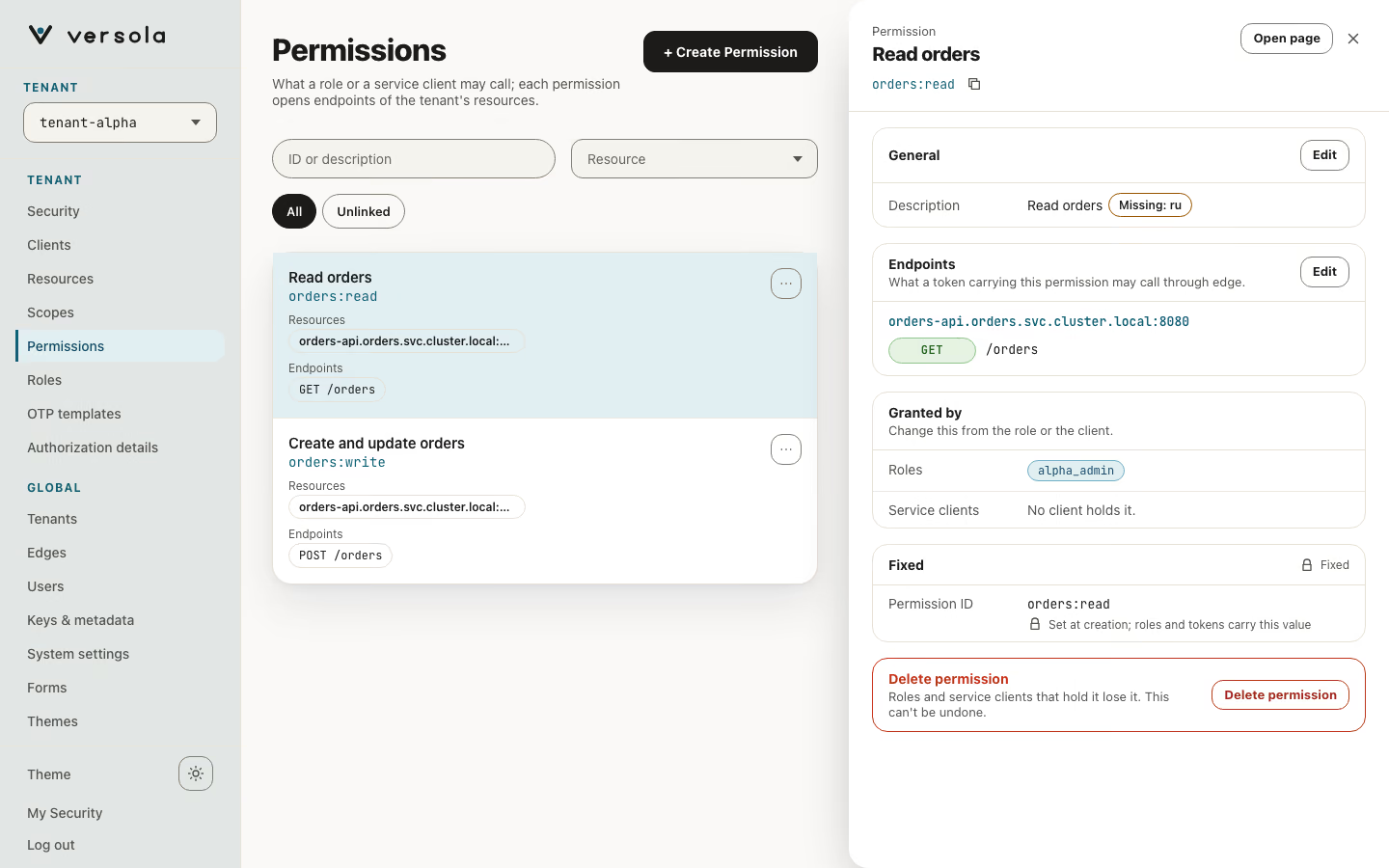
Open Permissions under the tenant. Each card shows the description and the permission ID. Expand a card to see the resource and the endpoints it covers. With many resources, use the Resource field to narrow the list: type part of a host and pick it.
2. Start a new permission
Press + Create Permission.
3. Fill in the permission
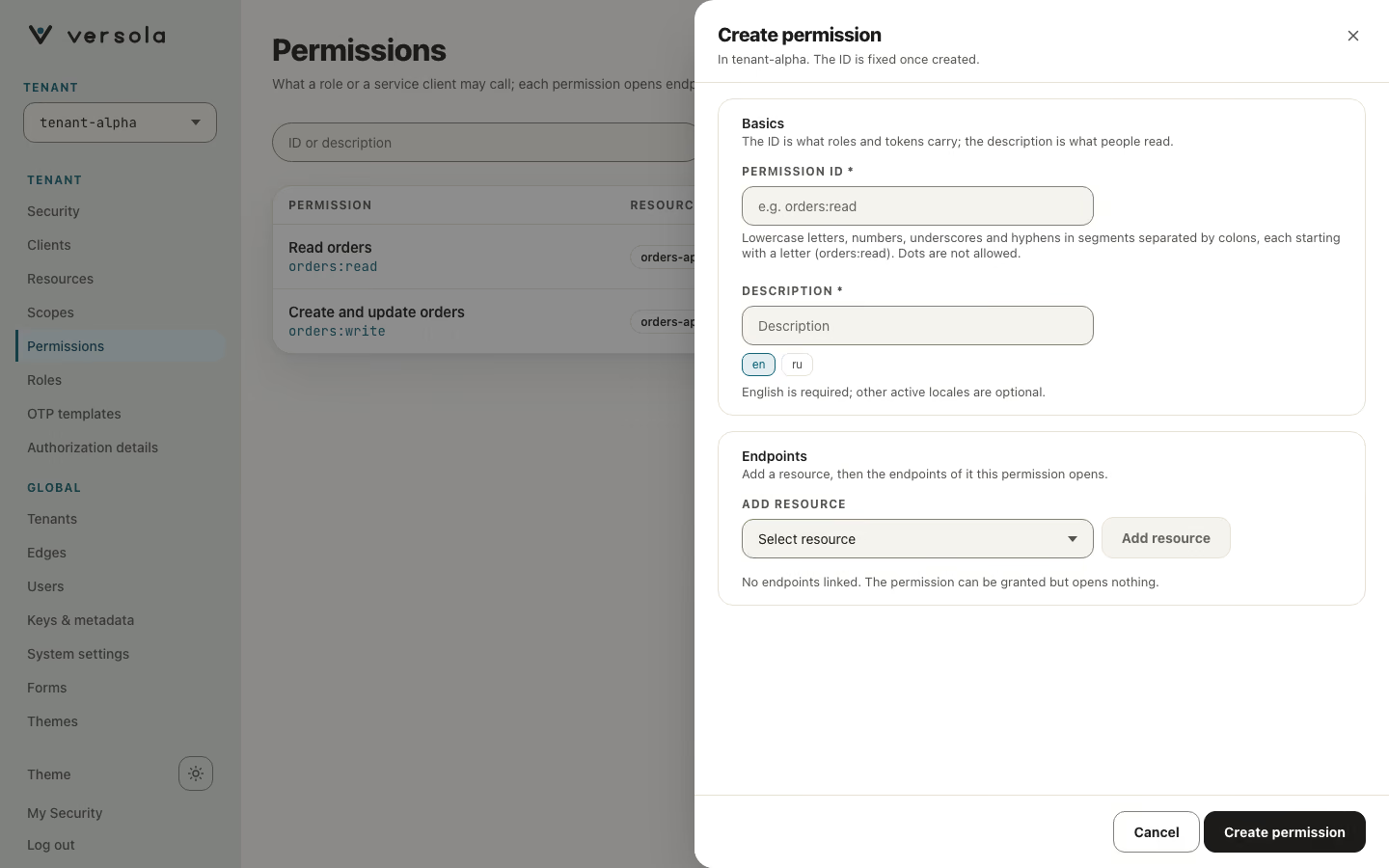
- Permission ID: lowercase letters, digits, underscores and hyphens in segments separated by
:, each segment starting with a letter, for examplepayments:exportorpayments:export:own. Dots are not accepted. You cannot change the ID later. - English description: a label for the console. If you leave it empty, the console uses the ID.
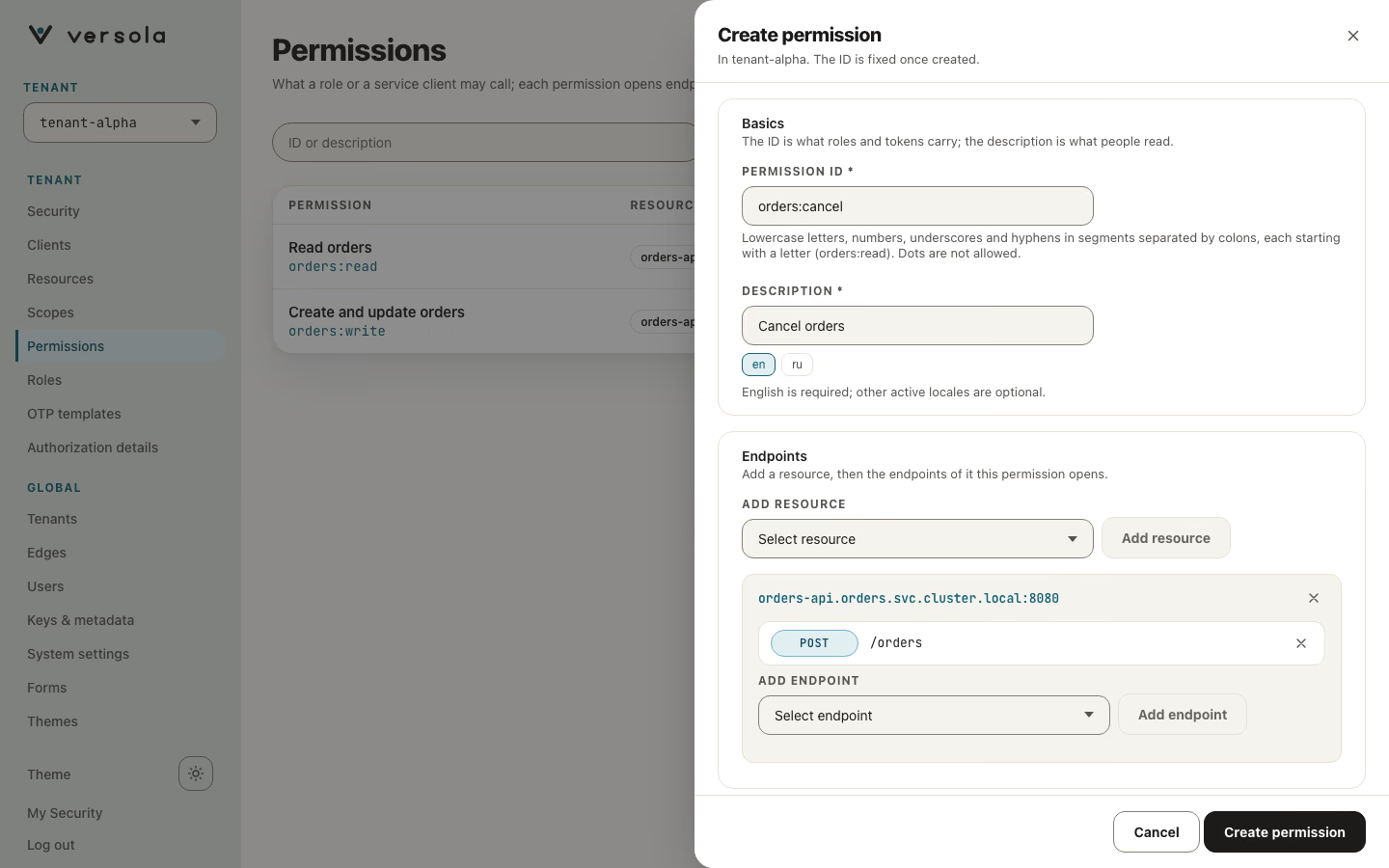
- Under Add resource, choose a resource and press Add resource. Its card opens below.
- In the card, choose an endpoint under Add endpoint and press Add endpoint. The endpoint appears in the list with its method and path. Repeat for every endpoint, and add further resources if the permission spans several.
4. Create the permission
Press Create Permission. The permission is ready to be added to a role. For a service app that calls your APIs with client_credentials, add it to the client’s Permissions section instead.
A permission only maps endpoints. edge still evaluates each endpoint’s Allow (CEL), step-up and max auth age on every call. See Endpoint policies.
Edit or delete a permission
Press the pencil on a card to add or remove resources and endpoints, or to change the description. The ID cannot change. If an endpoint was removed from its resource, the permission lists it under Detached endpoints. Remove it there. The cross deletes the permission after a confirmation. Roles and clients keep the ID in their lists, but it then covers no endpoint and grants nothing.
Next steps
- How to register a role: group permissions for users.
- How to register a client: give a service app its permissions.
- Permission: how
edgeuses permissions.