The Authorization details page registers the RFC 9396 authorization_details types that clients of a tenant may request. Pick the tenant in the sidebar first; the types belong to it. A detail object of a registered type is rejected unless it validates against the type’s schema.
Before you start
| Need | Permission |
|---|---|
| See the page | security:read |
| Create, edit or delete a type | security:manage |
Without security:manage the page is read-only: + Create Type, the Edit buttons and the delete actions are not shown.
The list
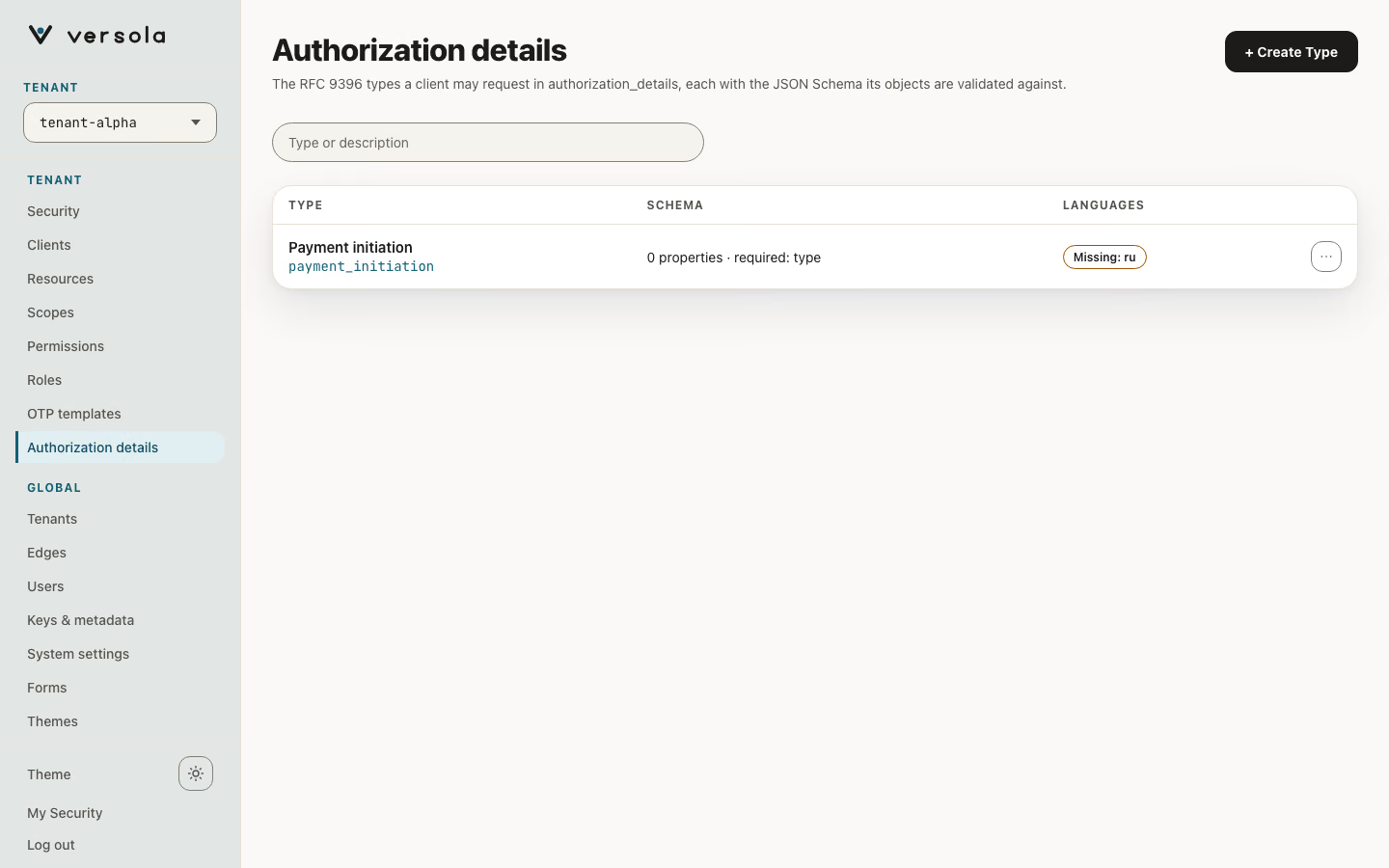
Each row shows the type’s description with its ID, a summary of its schema and, when the deployment has active languages, which of them have a description. The search field matches the type or the description. The row menu offers Open, Copy type and Delete type. Selecting a row opens its side panel.
The type panel
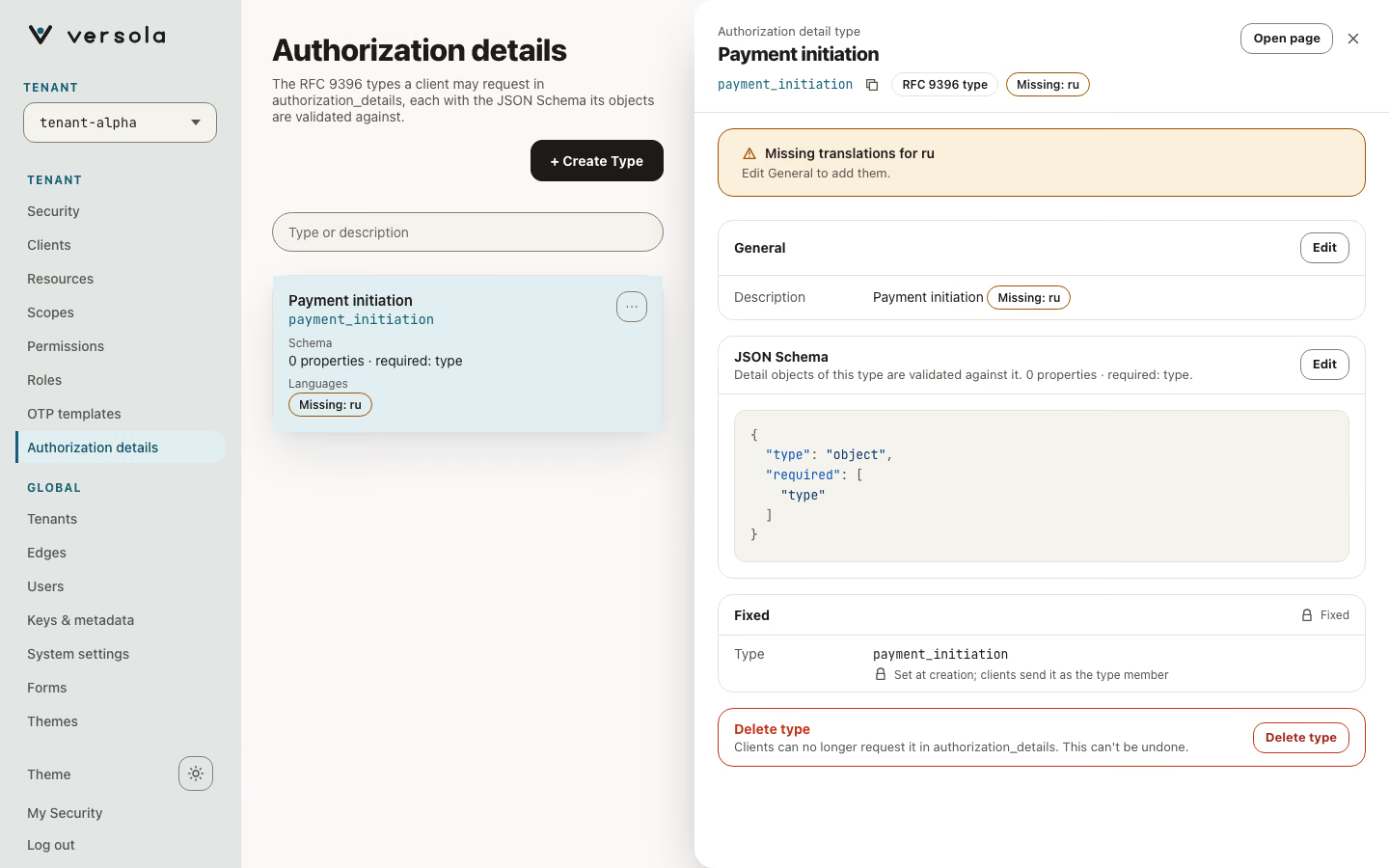
The panel holds three cards and a delete action:
- General: the Description, with Edit.
- JSON Schema: the schema that detail objects of this type are validated against, with Edit.
- Fixed: the Type, set at creation. Clients send it as the
typemember; to change it, delete the type and create a new one. - Delete type, after a confirmation: clients can no longer request the type in
authorization_details.
Create a type
+ Create Type opens the panel in create mode.
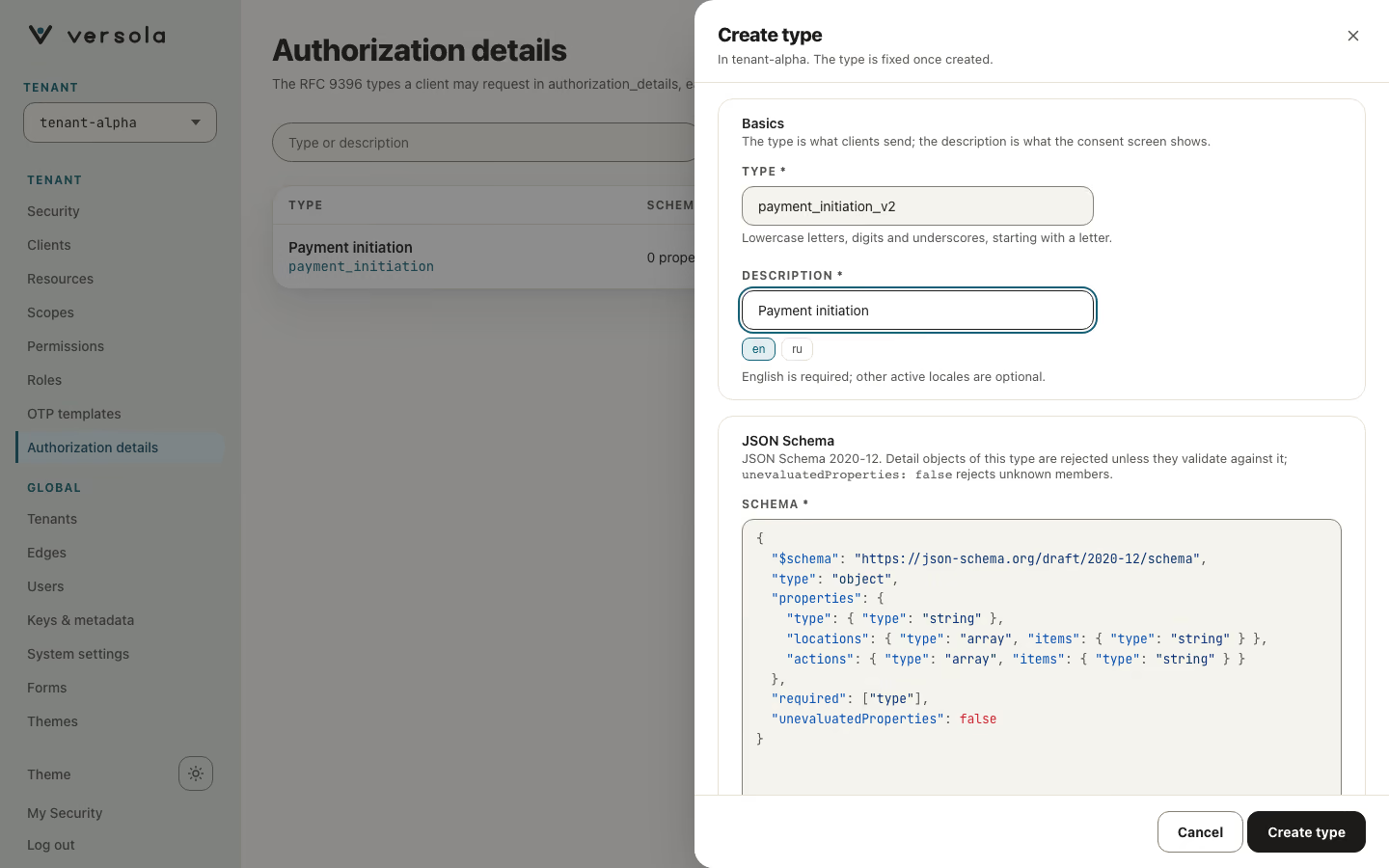
| Field | Rules |
|---|---|
| Type | The value clients send as the type member. Lowercase letter first, then lowercase letters, digits and underscores (payment_initiation). |
| Description | Required, one text per active language; English is required, the others are optional. The consent screen shows it. |
| JSON Schema | Required. JSON Schema 2020-12, written in a code editor. Detail objects of this type are rejected unless they validate against it; unevaluatedProperties: false rejects unknown members. Central refuses a schema that is not itself a valid JSON Schema, and the console shows its message under the editor. |
The form is prefilled with a starter schema that requires type and allows locations and actions as string arrays. Central adds each type to authorization_details_types_supported in the server metadata and removes it again on delete.
Next steps
- Security for the other per-tenant settings
- Keys & metadata for the server metadata that lists the types
- RFC 9396